
My finances are a mess right now. We have overdue debts, a tax bill, school fees and bills coming in left, right and centre! Bills aren’t being paid on time because I keep missing them. They come by email, they come by snail mail, and I’m starting to think they are coming by carrier pigeon as well. Now I’m not a natural saver or even that great with money. I have a strong belief in the ‘Money Fairy’, but she’s really running late right now.

(This post is a collaboration with MoneyBrilliant. We loved them so much we approached them to work with us!)
As a blogger and then working as a contractor, my money is irregular and variable – some months are amazing, and others are so lean it’s chickpea curry for dinner every night. I live the high life, then the low life, but we really need to start getting our finances in some sort of order.
The first thing I really needed to do was track our spending. I’m not one for a budget and I’ve tried apps before where you list every purchase but that only ever lasts for about a week because I’m totally disorganised. I really want to be one of those people with $10k savings at all times and on top of all their outgoings. Just like I really want to be one of those people that bounce out of bed every morning for a 10km run. Neither of those things is really going to happen though. I live in financial denial!
Discovering MoneyBrilliant (and changing my life)
So, a few weeks ago I was browsing Instagram (for things I can’t afford to buy) when an ad for a budgeting app called MoneyBrilliant appeared. I nearly scrolled on, but something caught my eye. What got me was that you connected your bank accounts to it, so it automatically tracked your spending and allocated it to different sections such as groceries, mortgage, car, online shopping etc. Intriguing…
I downloaded it and set up my banking details and waited…
Holy Hell!!! Turns out in the past 90 days I’d spend over $2k internet shopping! Whoops.
We had also spent about $5k on groceries. That’s way too much! Well, this certainly explains a lot.
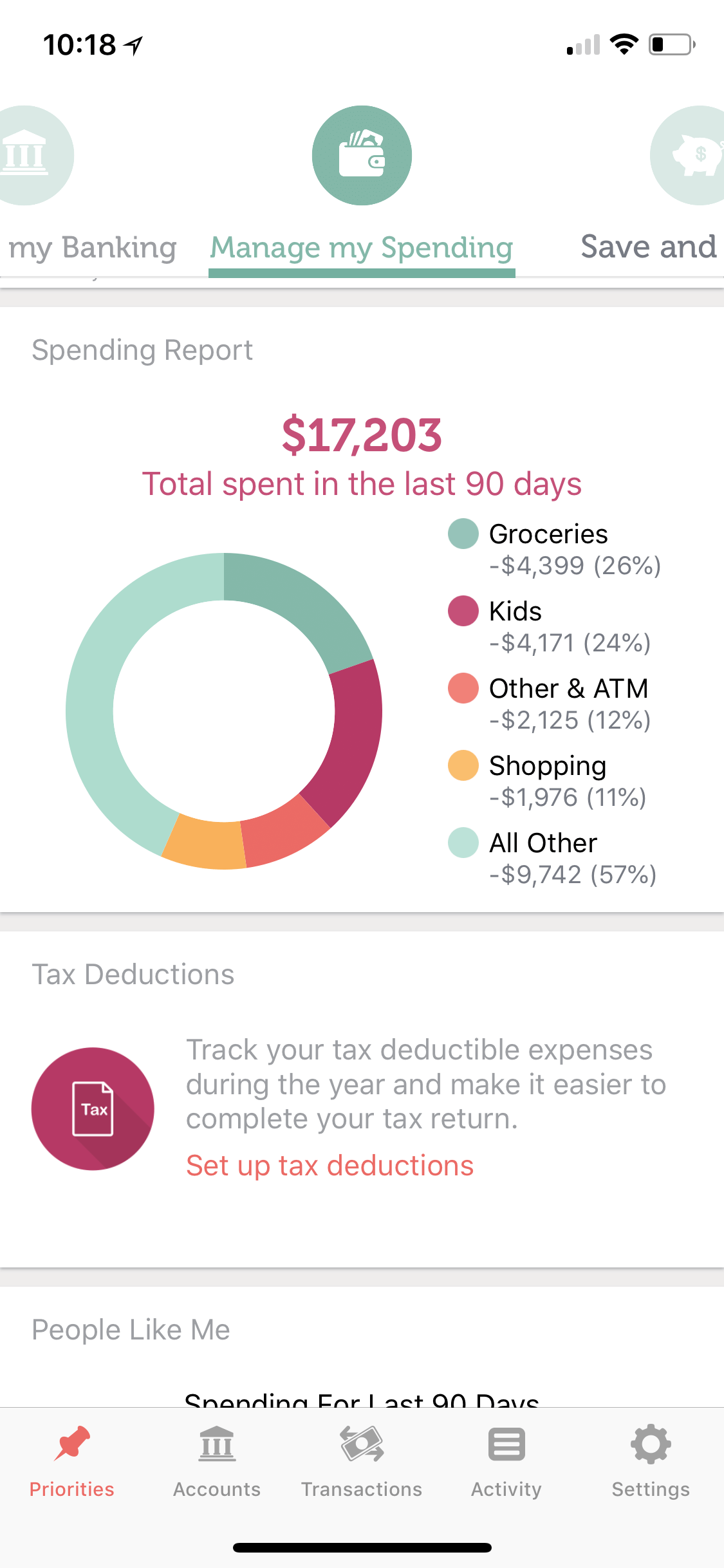
I went through, making sure that all the transactions were allocated to the right categories (it takes some time to set up but then it sorts them automatically). You can also add a secondary tag such as which kid you spent the money on or an event it may relate to.
Once you have allocated your categories you can set up a monthly budget. It presents an amount for you, based on an average of what you’ve spent in the last three months (such as grocery expenditure) and you can either leave it or edit it to make it more or less.
You can also add bill alerts that let you know when your bills are due. This has been invaluable because I’ve now been able to pay them when they are due, which often means a price deduction. On top of that, if you get the premium version, you can have Bill Watch, which tells you where you can save money on your energy bills. To complement this is also Bill Shock, which alerts you to any fee rises.
Saving $2247 this month
So, here’s how I saved money in the last month:
| Changes I made | Savings this month |
|---|---|
| Paid my electricity bill on time, giving me a discount | $195 |
| Paid my gas bill on time, giving me a discount | $25 |
| Paid my rates bill on time, giving me a discount | $22 |
| Reduced my online shopping | $525 |
| Renegotiated my electricity and gas with a new provider thanks to Bill Watch | $150 |
| Consolidated my credit card into my home loan and changed part of it to interest only | $300 |
| Reduced grocery spending | $450 |
| Cancelled my cleaner | $320 |
| Cancelled my hairdressing appointment | $130 |
| Cancelled my Health Insurance extras cover | $130 |
| TOTAL SAVED | $2247 |
Making $550 this month
And how did I make money? I went through the house and found everything I could to sell online. Some of the things I sold were:
| What I sold | Price Range |
|---|---|
| Kids dress ups | $10 - $25 |
| Clothing and bags | $10 - $40 |
| Kitchen appliances and cookbooks | $20 - $35 |
| Unused electrical goods | $50 |
| Toys | $5 - $10 |
| TOTAL MADE | $550 |
My next step is that I've just set up my savings goals on MoneyBrilliant. We are taking advantage of the Bill Watch service to make sure we get any discounts available. A priority for us is travel, now the kids are bigger, and this is something we are saving for. Once we have some savings I’ll be setting up the ‘Optimise my Banking’ feature, which recommends the best bank account, with the highest interest, depending on my savings habits. Also, with getting rid of our credit card, we need to make sure we have a buffer for emergencies.
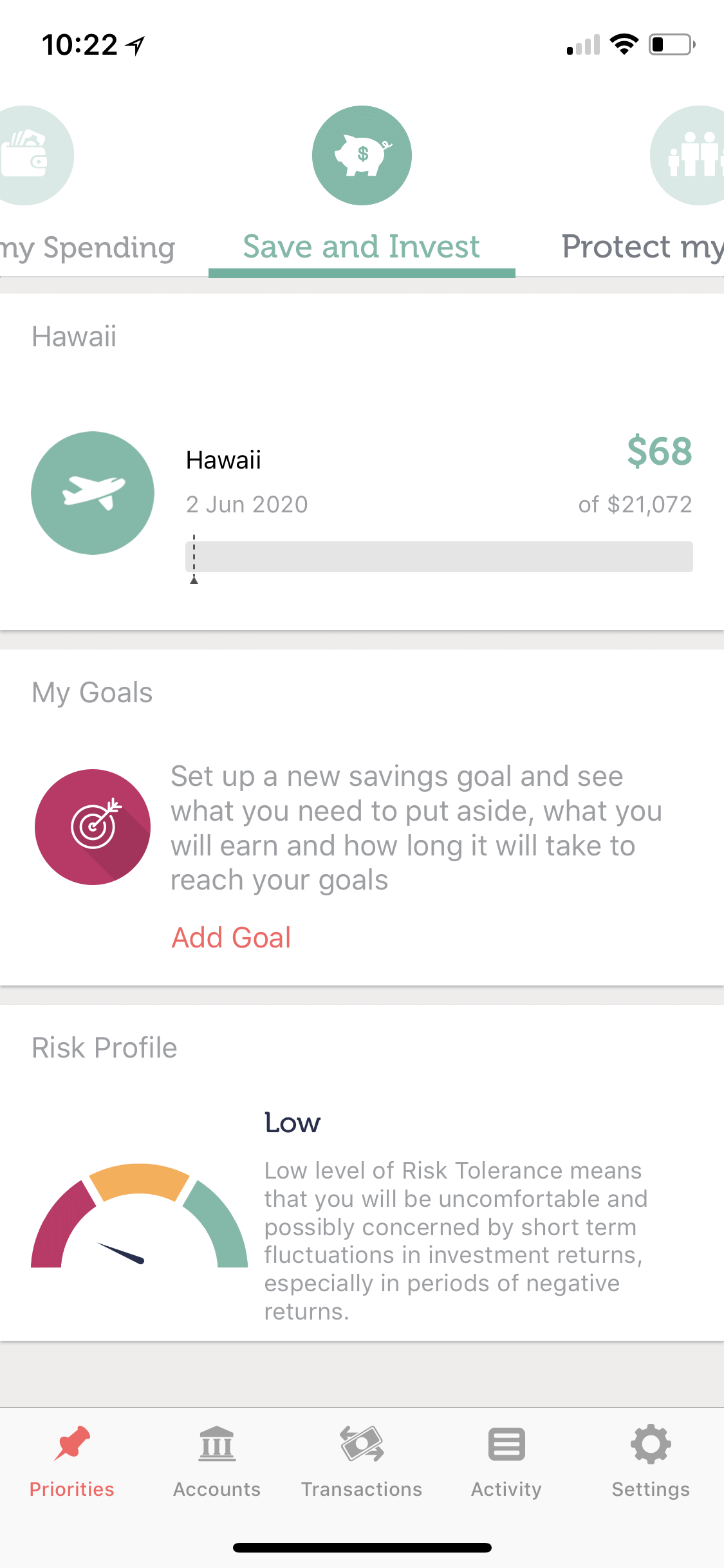
All in all, with the help of MoneyBrilliant, a new mindset, some renegotiations and a big clear out I finally feel like I’m on the way to getting on top of things (well at least until the Money Fairy arrives anyway!).
If you want to join me and get your finances in order head to www.moneybrilliant.com.au to download the app. It’s free so you have nothing to lose!


Annie
This is amazing, I spend so much on food shopping
It makes me feel ill 😂😂
Maraya
Wait til you see it all add up over 90 days!! It's scary!